
Ask a church administrator how many systems they sign in to on a Monday and you will usually get a number followed by a small sigh. Check-in lives in one place and giving in another. The volunteer schedule is a shared spreadsheet, and the email list sits in a newsletter tool that has never heard of the other three. Each one works on its own. The trouble lives in the gaps between them, where someone copies a name from one screen into another and hopes it was spelled the same way both times.
A complete planning center for a church closes those gaps. Cendance is built so that every product reads from and writes to the same record for each person. Services, small groups, giving, care, training, and the member app all point at that one record, so whatever happens in one place is already known everywhere else. The clearest way to see what that changes is to follow one newcomer through her first two months at a church.
Hannah visits on a Sunday in September with her two kids. A greeter adds the family at the welcome desk, and children's check-in gives her a pickup code that the classroom volunteer asks for at the end of the service. While the service runs, the Check-in Hub in Gather shows the count climbing in real time. By the time the last song ends, Hannah and her children are in People, and nobody has typed their names twice.
Monday morning is where most churches lose track of a first-time guest, because the follow-up depends on someone remembering. Here it does not. An automation opens a follow-up the moment a visitor checks in and assigns it to someone on the welcome team, who calls Hannah on Tuesday and leaves a note on her profile. The dashboard home puts the follow-up backlog beside headcount and new people, so the pastor can tell at a glance whether anyone is still waiting for a call.
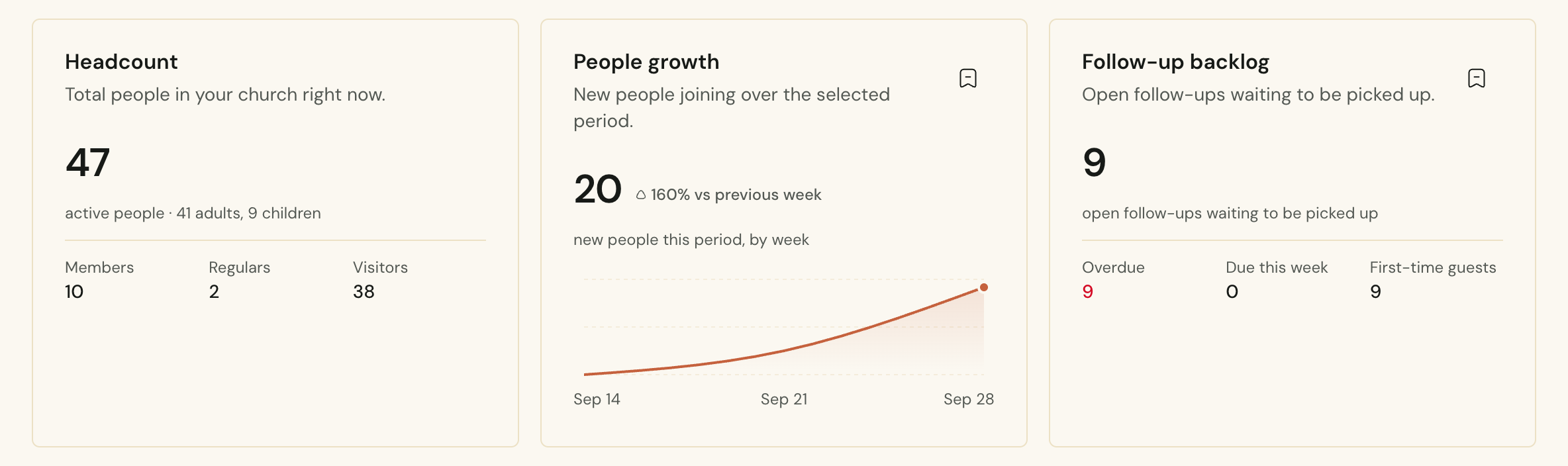 The Cendance dashboard home, with headcount, new people over the last 30 days, and the follow-up backlog side by side.
That same week Hannah downloads Eden, the member app. It carries her church's name and colors, opens on the pastor's note for the week and what is coming up, and lets her check the whole family in with one tap the following Sunday. She finds a small group that meets near her and asks to join. Once the leader approves her, the group's discussion channel is waiting the next time she opens the app. When the fall retreat opens for registration, she registers the family in the app and gets QR tickets that the door team scans on arrival.
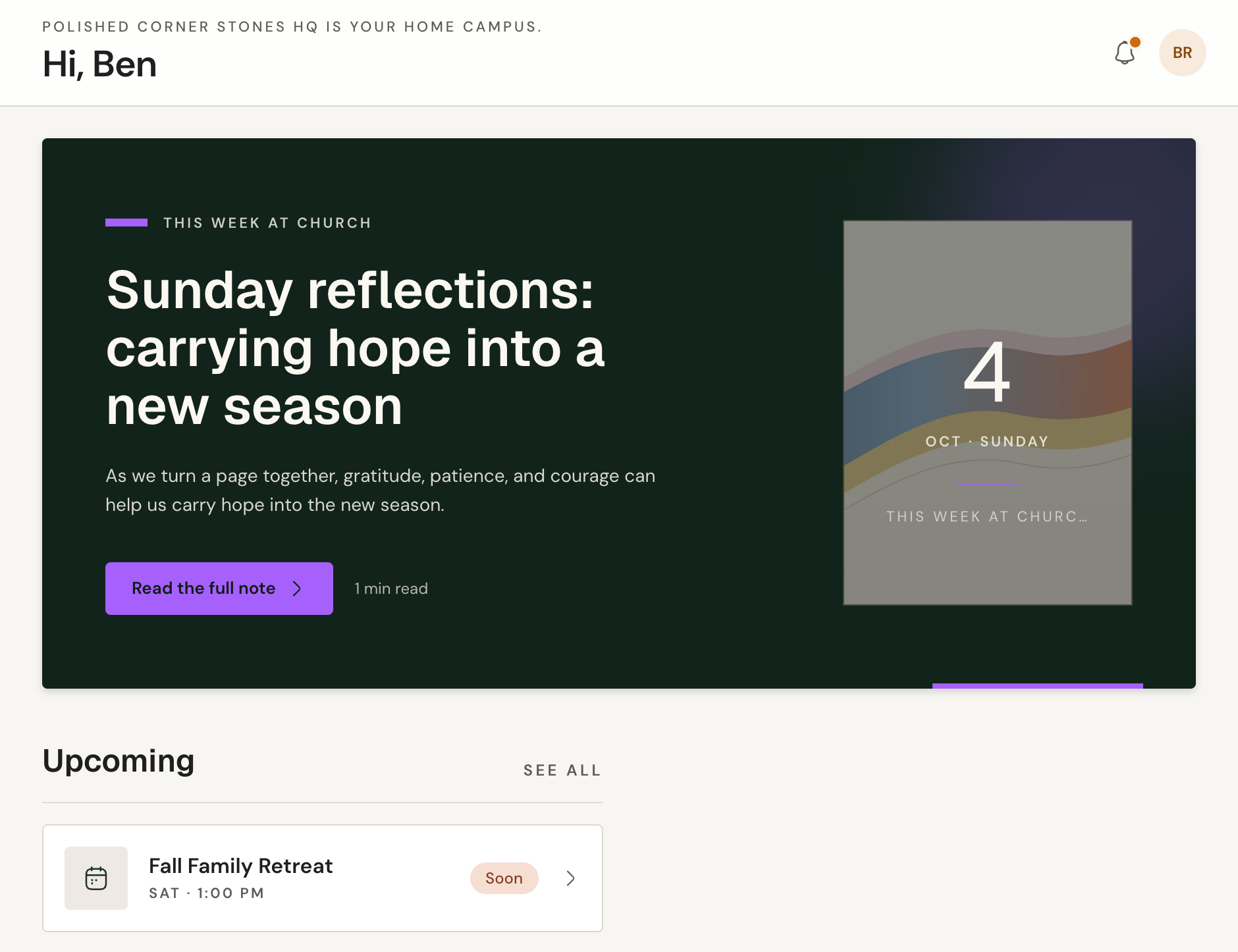 Eden, the member app, opening on the pastor's note and the next event, under the church's own name.
By her third Sunday, Hannah has checked in three times, and a second automation moves her from visitor to regular without anyone opening her record. Automations in Cendance listen for things that happen anywhere in the product, such as a check-in, a gift, a submitted form, a finished course, or a member who has missed several services in a row, and respond with the steps you choose. You can describe a rule in plain language and let Cendance draft it, or start from a template and adjust it.
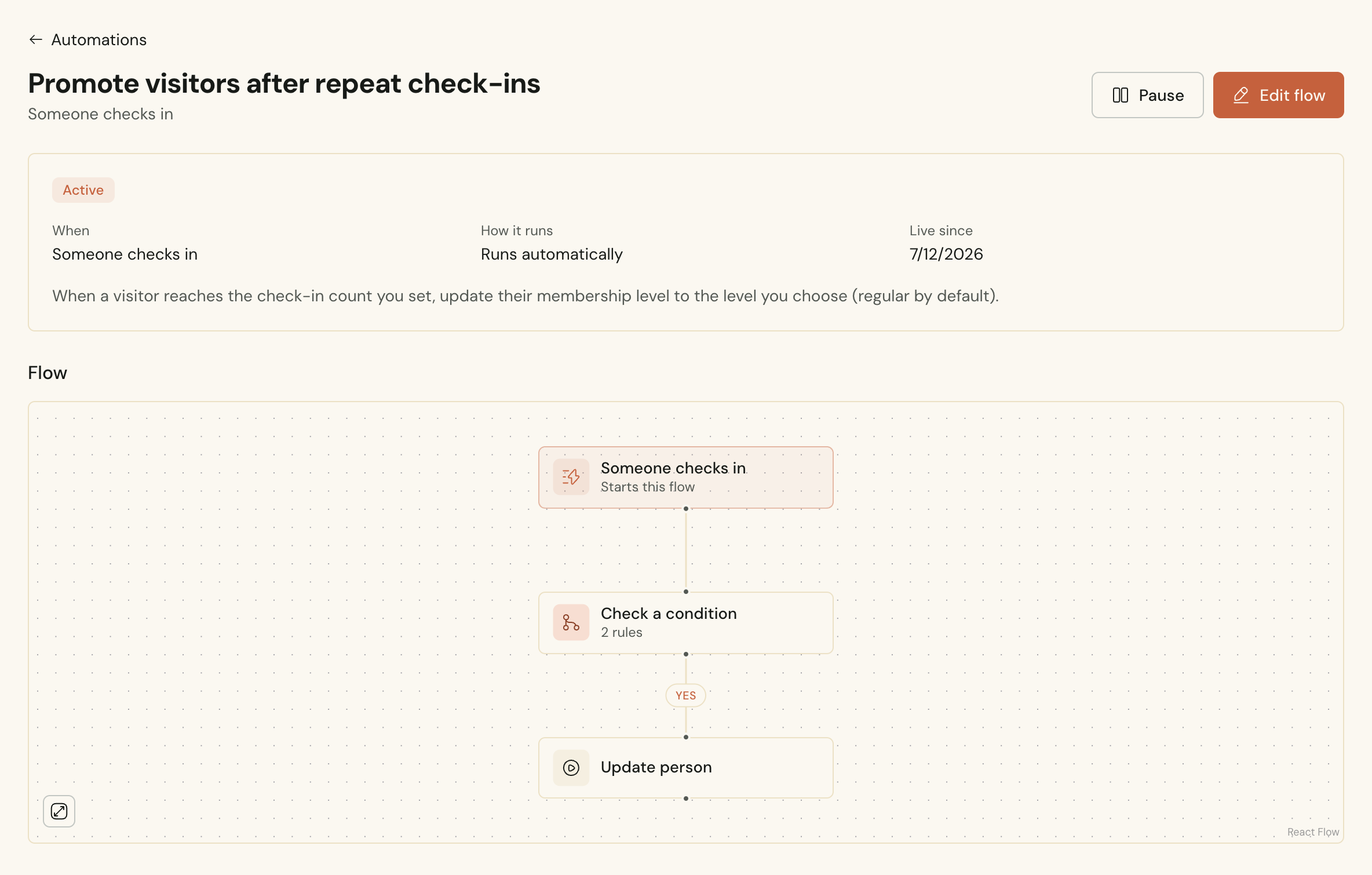 An automation in Cendance that moves a visitor to regular once they reach the number of check-ins you choose.
In October Hannah offers to help in the children's ministry. She receives a request for a specific Sunday and accepts it from her phone, and the coordinator watches the roster fill in as people respond. Before her first shift she is enrolled in the volunteer training course, works through the lessons and the quiz in Eden, and receives a certificate with a code anyone can verify. Esther, the assistant in the dashboard, drafted that quiz from the lesson content, and the coordinator reviewed it before it went out.
If the name sounds familiar, there is a reason. Esther is the smart support assistant built into the Cendance dashboard for the whole church team. Ask her in plain words to find a family or pull a report and she gets on with it, reaching only what the person asking is allowed to see. She was named after me, which I have mostly made my peace with. It is a little humbling to share a name with a colleague who answers questions faster than I do and has never once asked for a day off.
Somewhere along the way Hannah starts giving. She sets up a monthly gift to the general fund in the app, and it lands in the same ledger as the cash and cheques the counting team records after the service. The treasurer works from one set of numbers by fund and by campus, and Hannah can look up her own giving history whenever she likes. When she misses a Sunday, the sermon series is waiting as a single playlist link.
Then a hard week comes, the kind every church sees. Hannah asks for help through Care in the app. The care team replies with a question, she answers it, and she books a time to talk with a pastor. Any document the team asks her for is stored privately and opened through signed links, and a notification on her phone keeps her posted about the booking.
Now look at the same two months from the office. Hannah's profile holds her household, her groups, her notes, and her giving on their own tabs, and each one was filled in by something Hannah or a volunteer actually did. Nobody re-entered it from a different system. People Reports show how many first-time guests came back within six weeks, which tells you more about your welcome than any headcount. When a staff member needs a number before a meeting, they can ask Esther in plain words, such as who joined this month, and get the answer without hunting through filters.
The office ended up doing less. No list was exported from one tool to be imported into another, and no follow-up depended on someone's memory. Hannah never noticed a seam. She used one app for check-in, groups, events, serving, training, giving, and care, all under her own church's name, and every time she did something, the people looking after her knew about it.
Cendance brings this together across People, Gather, Connect, Care, Learn, Finance, Media, and Shop, with Eden for your members, all inside your Cendance dashboard. People is free, so the simplest place to begin is your directory, and the rest can follow as your church is ready for it.


