
Check-in earns its keep in about fifteen minutes a week. In that window, families arrive, name tags print, a first-time visitor decides whether this church is organized, and a parent hands over a toddler and wants to know exactly how they will get them back. The rest of the week, the same records answer quieter questions: who came, who has stopped coming, and who was here for the first time. Here is how to set it up in Cendance so the fifteen minutes run smoothly and the rest of the week gets the numbers.
Start by opening check-in on the service. Every service in Gather has a check-in hub with a live count of people present and children awaiting pickup, and four modes: People, On the run sheet, Children, and Links. Open check-in when the doors open and close it after the last pickup. From People, a greeter finds anyone by name, email, or phone and checks them in, or checks in a whole household at once. Someone new is added on the spot with a name and a way to reach them, and they land in People as a visitor rather than in a stack of paper cards.
Then let regulars check themselves in. The Links mode gives each service a public check-in link and a QR code. Print the code for the lobby, share the link in the weekly email, or tap Launch kiosk to turn a tablet at the door into a self check-in station. A person enters the email or phone number on their profile, sees their household, and checks in everyone at once. With member self check-in switched on, people signed in to Eden see the service on their phone and check in from the car, before the lobby fills up.
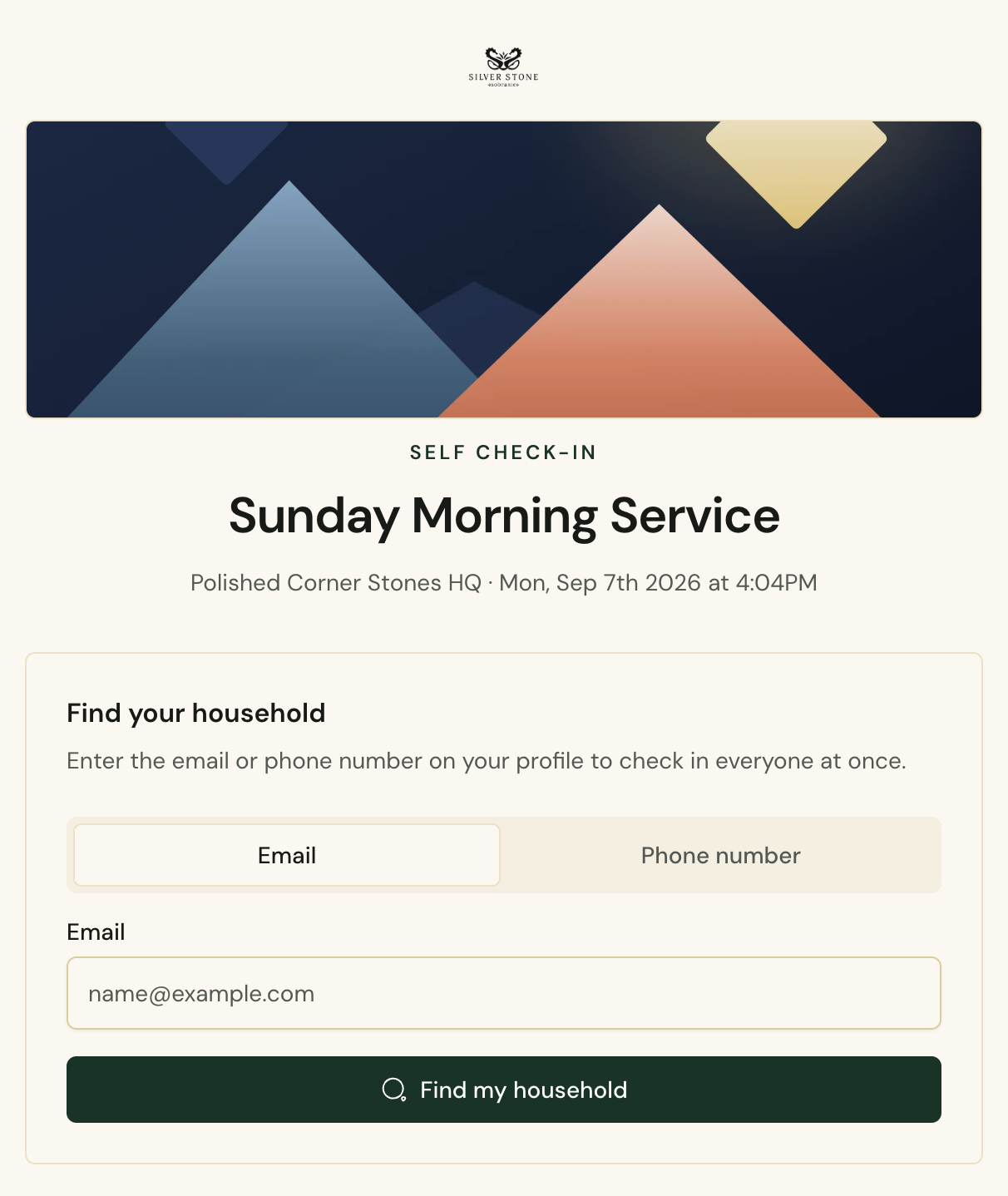 The public self check-in page for a service in Cendance: find your household by email or phone and check everyone in at once.
Children get a code. When a child is checked in, a pickup code goes to their parent or guardian by email or text, and the desk can print it as a tag. The Children mode lists who is checked in, who is awaiting pickup, and who has been picked up, with the time and the volunteer who verified it. At pickup, the volunteer enters the code from the parent's phone. When a code is lost, a leader can check the child out without it, and that override is recorded with a name attached. A child needs no contact details of their own for any of this, only a household with a parent in it.
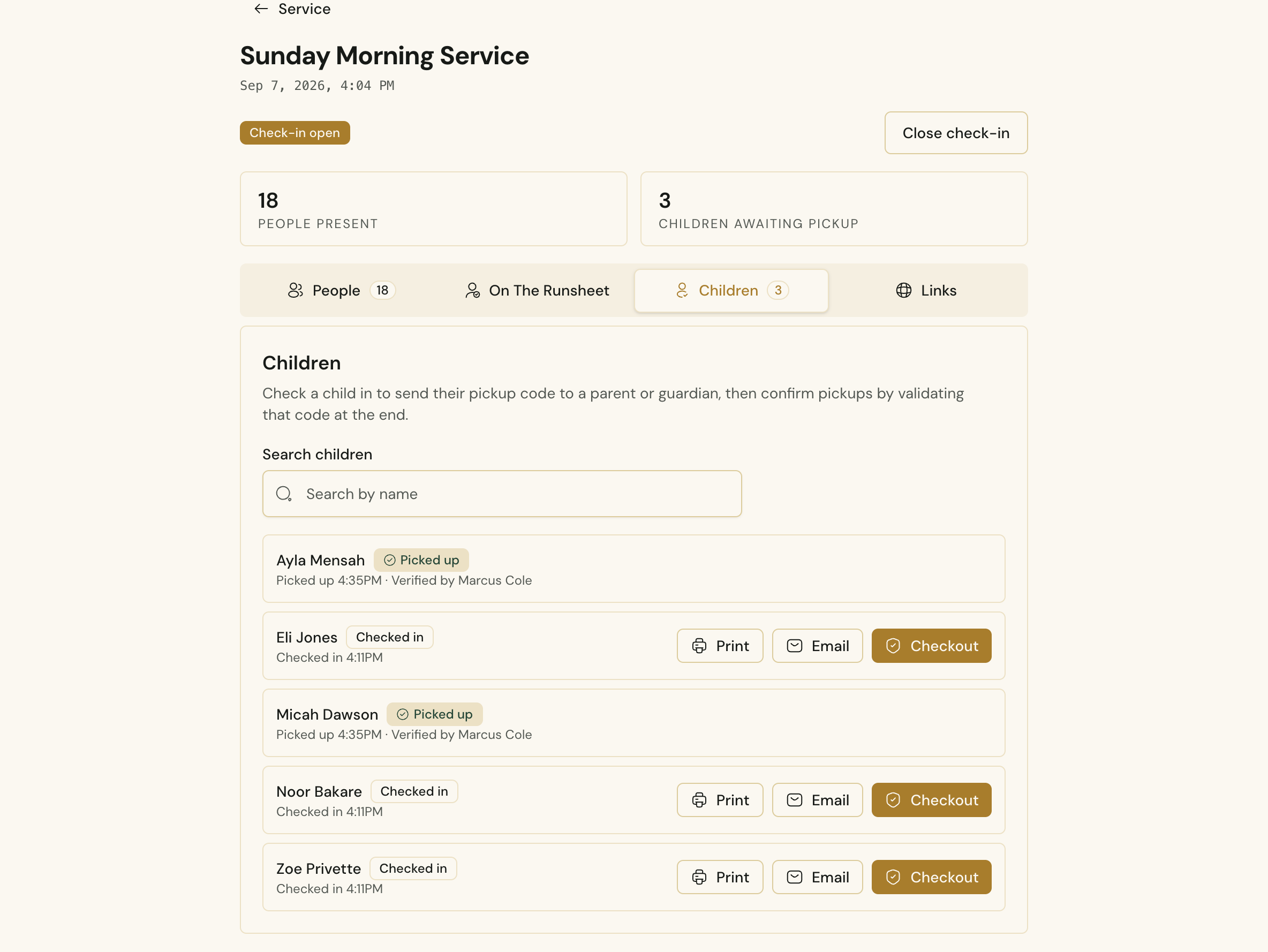 The Children mode of a service's check-in hub in Cendance, with pickup codes ready to print or email and completed pickups showing who verified them.
Volunteers are a separate list for a reason. The On the run sheet mode shows everyone assigned to serve that morning, so a team lead can mark them present in a few taps without searching the whole directory, and the morning's attendance still counts them.
Monday is where the records pay for themselves. People Reports shows weekly attendance with the split between adults and children and the share of check-ins people made themselves, an attendance rate for your regulars and members that visitors never drag down, and a check-in gaps list of regulars who have not been seen in thirty days, ready to hand to your follow-up team. First-time visitors get their own view, with how many returned within six weeks and how many of their follow-ups were completed.
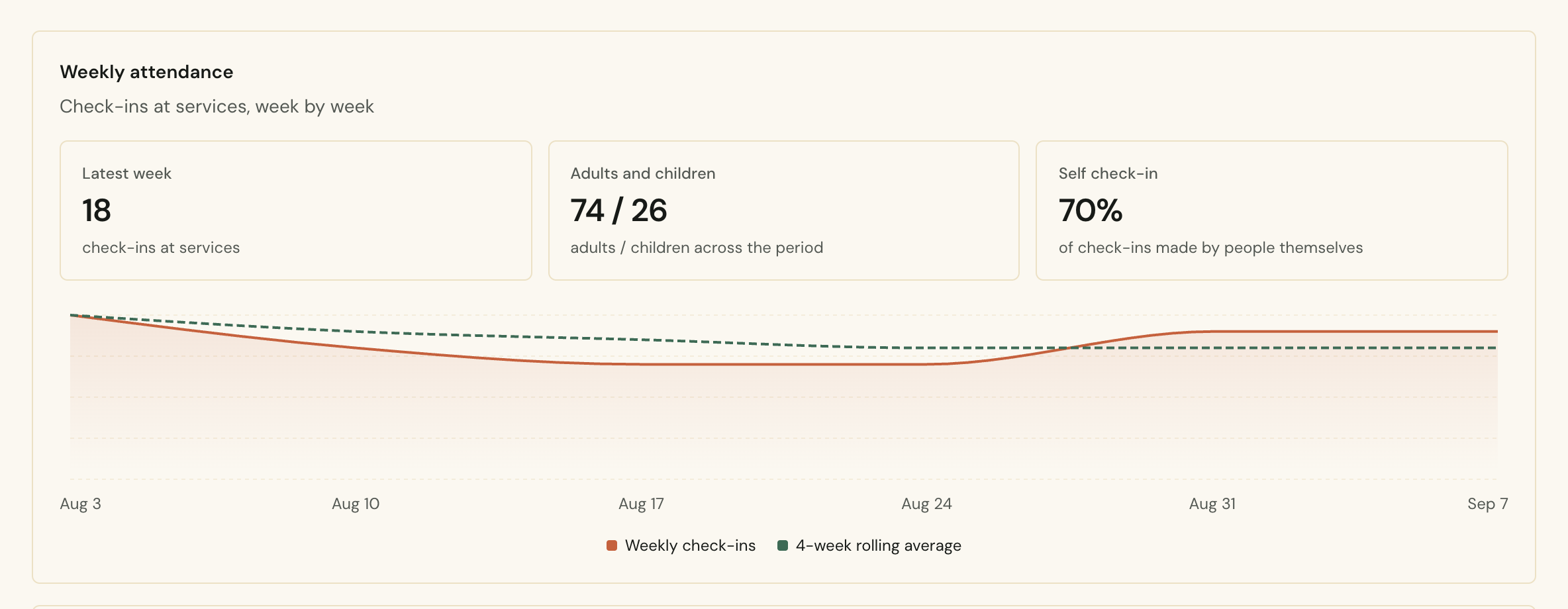 Weekly attendance in Cendance People Reports: check-ins at services week by week, the adult and child split, and the share of self check-ins.
None of it asks your greeters to become data-entry staff. They say hello, tap a name or point at a QR code, and the record takes care of itself. If you want the habits that go with the tools, our earlier guide on calm Sunday mornings is the companion to this one.
You will find services and their check-in hubs under Gather in your Cendance dashboard. Open check-in on this Sunday's service, print the QR code for the lobby, and let the first family try it.


